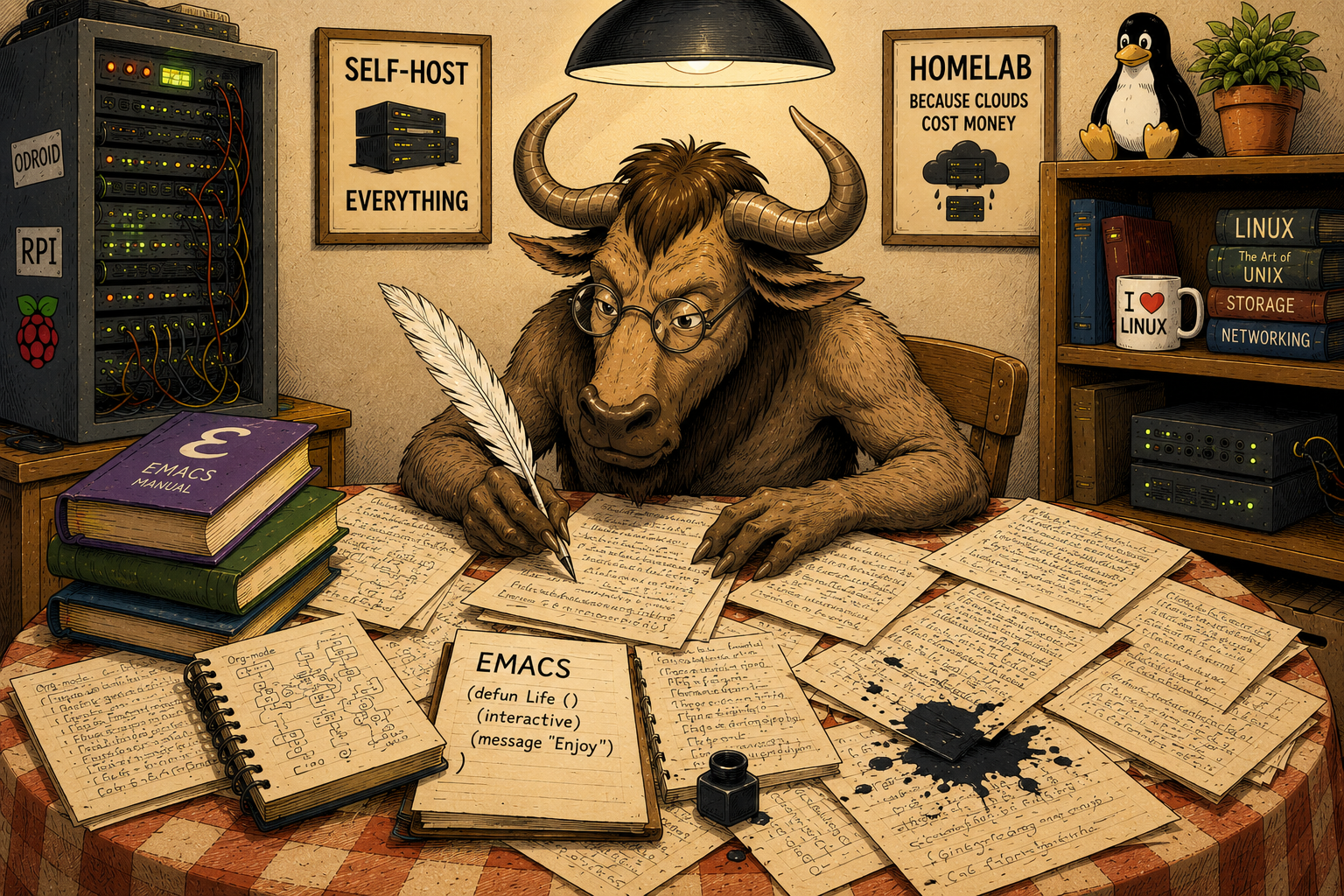
No, this is not going to be an episode about the competition or its operating modes — the one where in one mode you are allowed to type, in another you may only move the cursor, and in the third you are expected to cry.
This time we are talking about Emacs modes.
What Is a Mode in Emacs?
Modes change the way Emacs behaves in the current buffer or, in some cases, throughout the entire session.
The most important one is the major mode. It tells Emacs what kind of thing the current buffer contains and how that content should be handled.
On top of that, we may enable any number of minor modes, each adding some specific functionality.
A mode may affect, among other things:
- how content is displayed,
- syntax highlighting,
- indentation,
- available commands,
- key bindings,
- menus,
- the behavior of various editor functions.
So talking merely about a “file type” would be too narrow.
Emacs displays plenty of things in buffers that are not files at all.
And since we have just learned the basics of Lisp: an Emacs mode is, first and foremost, a respectable amount of Emacs Lisp code.
Major Mode
Every buffer has exactly one active major mode.
For example:
python-mode
markdown-mode
emacs-lisp-mode
text-mode
fundamental-mode
The major mode determines the basic way Emacs treats the contents of the entire buffer.
You do not enable another major mode alongside the first one.
You replace one with another.
Minor Modes
Alongside the major mode, multiple minor modes may be active at the same time.
They add individual pieces of functionality.
Examples?
Certainly:
display-line-numbers-mode
flyspell-mode
auto-fill-mode
font-lock-mode
One may display line numbers.
Another checks spelling.
A third automatically wraps text.
A fourth provides syntax highlighting.
And all of them may operate at the same time as:
markdown-mode
or:
python-mode
Enabling a Mode
A mode normally provides a function used to activate it.
For major modes, the function usually has exactly the same name as the mode itself.
So we may run:
M-x python-mode
and watch the Best of All Editors attempt to interpret the current buffer as Python code.
Every buffer always has some major mode.
If Emacs cannot find anything more suitable, it may end up using the most basic one:
fundamental-mode
A buffer without an active major mode is not really a normal state of affairs. Calling another major mode simply replaces the current one.
What Mode Are We in This Year, My Lord?
To inspect the active modes, use:
M-x describe-mode
or, much more conveniently:
C-h m
Emacs displays documentation for the current major mode and the relevant active minor modes.
For example, this article is being written in Markdown.
The file is:
index.md
Emacs has selected markdown-mode, and describe-mode shows, among other things:
- Major mode markdown-mode — documentation, commands, key bindings, and other information about the major mode,
- Local minor mode auto-save-mode — information about automatic saving,
- Local minor mode font-lock-mode — syntax highlighting and related settings,
- Global minor mode blink-cursor-mode — blinking cursor behavior,
- Global minor mode show-paren-mode — matching-parenthesis highlighting,
- Global minor mode tooltip-mode — pop-up tooltips.
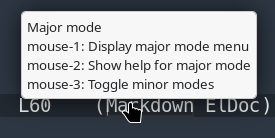
And another dozen or so.
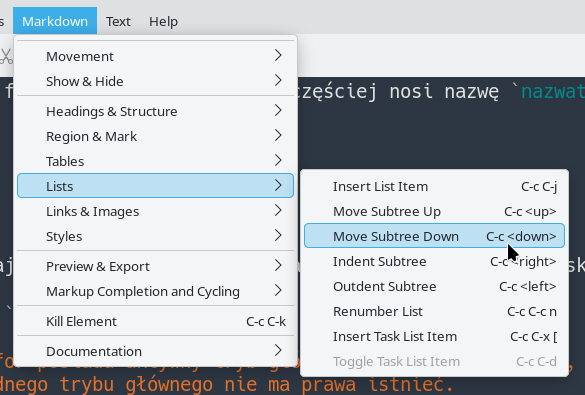
markdown-mode also provides its own menu:
If all we want is the symbol naming the current major mode, we can also evaluate:
M-: major-mode RET
and get something like:
markdown-mode
It is worth remembering the distinction between local and global minor modes. A local minor mode affects a particular buffer. A global minor mode operates at session level or manages corresponding behavior across multiple buffers.
How Does Emacs Know?
How does Emacs know which major mode a file needs?
During ordinary day-to-day use of the One True Editor, it may seem that it simply guesses remarkably well.
It does not.
Emacs has several sources of information and checks them according to a defined set of rules.
In simplified form, it considers:
- an explicit mode specified by file-local variables,
- directory-local settings, including a directory-local
auto-mode-alist, - the shebang and
interpreter-mode-alist, - special rules examining file contents,
auto-mode-alist, based on file names,- fallback content-detection rules,
- a default mode.
So the filename is important.
But it is far from being the only source of information.
File-Local Variables — At the Beginning
A particular file may tell Emacs directly:
I want to use this mode.
This is done with file-local variables.
For example:
# -*- mode: python -*-
Emacs recognizes the special section between:
-*-
and interprets mode as the requested major mode.
This declaration is usually placed inside a comment appropriate for the language of the file, so that the line remains valid syntax.
More than one setting may be provided:
# -*- mode: python; python-indent-offset: 4; indent-tabs-mode: nil -*-
Here:
mode: python
selects the major mode,
python-indent-offset: 4
sets Python indentation width,
and:
indent-tabs-mode: nil
tells Emacs to use spaces rather than TAB characters when creating indentation.
More generic variables may be used too:
# -*- mode: yaml; tab-width: 2; indent-tabs-mode: nil -*-
Just remember that tab-width primarily controls how wide an existing TAB character is displayed. It does not automatically mean “YAML indentation width is two spaces.”
Mode-specific settings are best discovered through that mode’s documentation.
C-h mis an excellent place to start.
Use cases?
Many.
Working with a team on the same file?
You can define once and for all what that particular file is supposed to be and which local settings should apply to it.
File-Local Variables — At the End
If there are more settings, or if squeezing everything into the first line becomes unpleasant, a special block may be placed at the end of the file:
# Local Variables:
# mode: python
# tab-width: 48
# indent-tabs-mode: nil
# End:
Yes.
48.
I am not judging.
They are local settings.
Use cases?
Many.
Working with a team on the same…
Right.
We already did this part.
Directory-Local Variables
Similar settings can be defined for an entire directory tree.
This is what:
.dir-locals.el
is for.
At this point the One True Configuration Language becomes mandatory.
Emacs Lisp.
Suppose we want to conduct an educational experiment and tell Emacs:
Every
.ymlfile in this directory is Python.
We can write:
((auto-mode-alist
  . (("\\.yml\\'" . python-mode))))
Yes.
Emacs will do exactly what we asked.
If the YAML file is already open, merely using:
C-x C-f
again will not be enough.
Emacs will simply return to the existing buffer.
For a clean experiment, it is better to:
C-x k
kill the buffer and then open the file again.
Now:
foo.yml
will open in:
python-mode
Emacs does not judge.
Emacs follows instructions.
Major Mode Plus Minor Mode
What if a directory contains ordinary YAML files that also happen to be Ansible playbooks?
The major mode may remain:
yaml-mode
while we additionally enable:
ansible-mode
as a minor mode.
In .dir-locals.el:
((yaml-mode
  . ((mode . ansible))))
The special entry:
(mode . ansible)
means here:
for buffers using
yaml-mode, additionally enableansible-mode.
This neatly demonstrates the distinction:
yaml-mode      -> major mode
ansible-mode   -> minor mode
The first tells Emacs how to treat the buffer contents.
The second adds Ansible-specific functionality.
Shebang and the Interpreter List
Another source of information is the first line of a script.
For example:
#!/bin/sh
suggests a shell script.
And:
#!/usr/bin/python3
suggests Python.
One of the variables Emacs uses here is:
interpreter-mode-alist
It is another association list:
interpreter -> major mode
We may add our own rule:
(add-to-list 'interpreter-mode-alist
             '("python[0-9.]*" . python-mode))
This covers:
python
python3
python3.12
python3.48
and every remaining version of Python until the end of the century.
Assuming the version numbering survives that long.
A Little Magic
The filename and shebang are not everything.
Emacs can also recognize some types of content by looking inside the buffer.
Mechanisms involved include:
magic-mode-alist
and later fallback rules in:
magic-fallback-mode-alist
A simple experiment?
The King of Editors is perfectly capable of displaying images.
Rename a local image to:
abc.def
open it…
…and you still get an image.
When the filename gives Emacs no useful answer, the editor may take another look at the contents.
As every respectable text editor does.
Let us trust the authors for now and avoid digging too deeply into binary-content detection. If the need ever arises, a suitable episode of the Emacs Saga will appear somewhere near the end, in the mini-series How to Shoot Yourself in Both Feet in Seven Minutes Armed Only with a Knife.
Filename Patterns
The most common mechanism is, naturally, selecting a mode based on the filename.
This is handled by:
auto-mode-alist
It contains pairs of:
regexp -> major mode
So we may add this to init.el:
(add-to-list 'auto-mode-alist
             '("\\.tpl\\'" . jinja2-mode))
From now on files ending in:
.tpl
will normally open in:
jinja2-mode
unless a higher-priority mechanism — such as an explicit file-local mode — says otherwise.
Mode Inheritance
Major modes can form families.
Some especially important base modes include:
prog-mode
text-mode
special-mode
Programming-language modes shipped with Emacs, as well as many external ones, derive from:
prog-mode
Likewise, many modes intended for ordinary text derive from:
text-mode
We can ask whether the current major mode belongs to a particular family:
(derived-mode-p 'prog-mode)
If we are in a programming mode, the result may be:
t
This hierarchy is about to become very useful.
Hooks
Hooks are one of Emacs’s fundamental extension mechanisms.
They can be thought of as extension points.
A hook is usually a variable containing a list of functions.
When the corresponding event occurs, Emacs calls the functions stored in that list.
Major modes normally have hooks named:
MODE-NAME-hook
for example:
python-mode-hook
markdown-mode-hook
prog-mode-hook
text-mode-hook
A function can be added with:
(add-hook 'mode-name-hook #'existing-function)
For example:
(defun greeting ()
  (message "This is my function and I like it very much!"))

(add-hook 'prog-mode-hook #'greeting)
From now on, entering a mode derived from prog-mode will also call our function.
Open Python, C, Emacs Lisp, or another programming-language mode belonging to this family, and the echo area displays our carefully chosen euphemism.
A more practical example:
(add-hook 'prog-mode-hook #'display-line-numbers-mode)
Now line numbers are automatically enabled in programming modes.
If both examples are active:
(add-hook 'prog-mode-hook #'greeting)
(add-hook 'prog-mode-hook #'display-line-numbers-mode)
the hook simply has two functions to run.
So it runs both.
That is an important distinction between a hook and a single callback.
One Major Mode, Several Minor Modes
We can now put everything together:
markdown-mode
├── font-lock-mode
├── auto-save-mode
├── flyspell-mode
└── ...
or:
python-mode
├── font-lock-mode
├── display-line-numbers-mode
├── flyspell-prog-mode
└── ...
The major mode answers:
What is this buffer?
Minor modes answer:
What additional things should happen here?
Hooks let us say:
Whenever this kind of mode starts, automatically enable these other things as well.
And suddenly a considerable amount of apparently magical Emacs configuration becomes quite logical.
Summary
Modes are one of the fundamental mechanisms that allow Emacs to behave like a completely different tool depending on what the current buffer contains.
We now know:
- the difference between major and minor modes,
- how to inspect active modes,
- how Emacs chooses a major mode,
- what file-local variables are,
- what
.dir-locals.elis for, - what
auto-mode-alistandinterpreter-mode-alistdo, - how mode inheritance works,
- what hooks are and why they exist.
This episode and the previous two were necessary before we could comfortably move on to subjects such as:
- configuring specialized modes,
- installing packages,
- automatically enabling functionality,
- spell checking,
- abbreviation expansion,
- completion and suggestions.
From here on, it is all downhill.